

Contact Methods
Althea works best when she can reach you where you actually answer.
The main contact surfaces are the web app, WhatsApp, email, and a saved contact card on your phone. The web app is the richest interface. WhatsApp and email are the useful everyday channels. The contact card makes Althea feel like a person you can reach, not a tab you need to remember.
The Web App
Section titled “The Web App”The web app is the primary interface.
It supports markdown, LaTeX, syntax-highlighted code blocks, file uploads, figures, citations, and interactive widgets. You can also see live execution details: tool calls, memory recalls, code runs, and research steps.
Use the web app when the work has structure: literature reviews, code execution, documents, widgets, uploads, and anything where source trails matter.
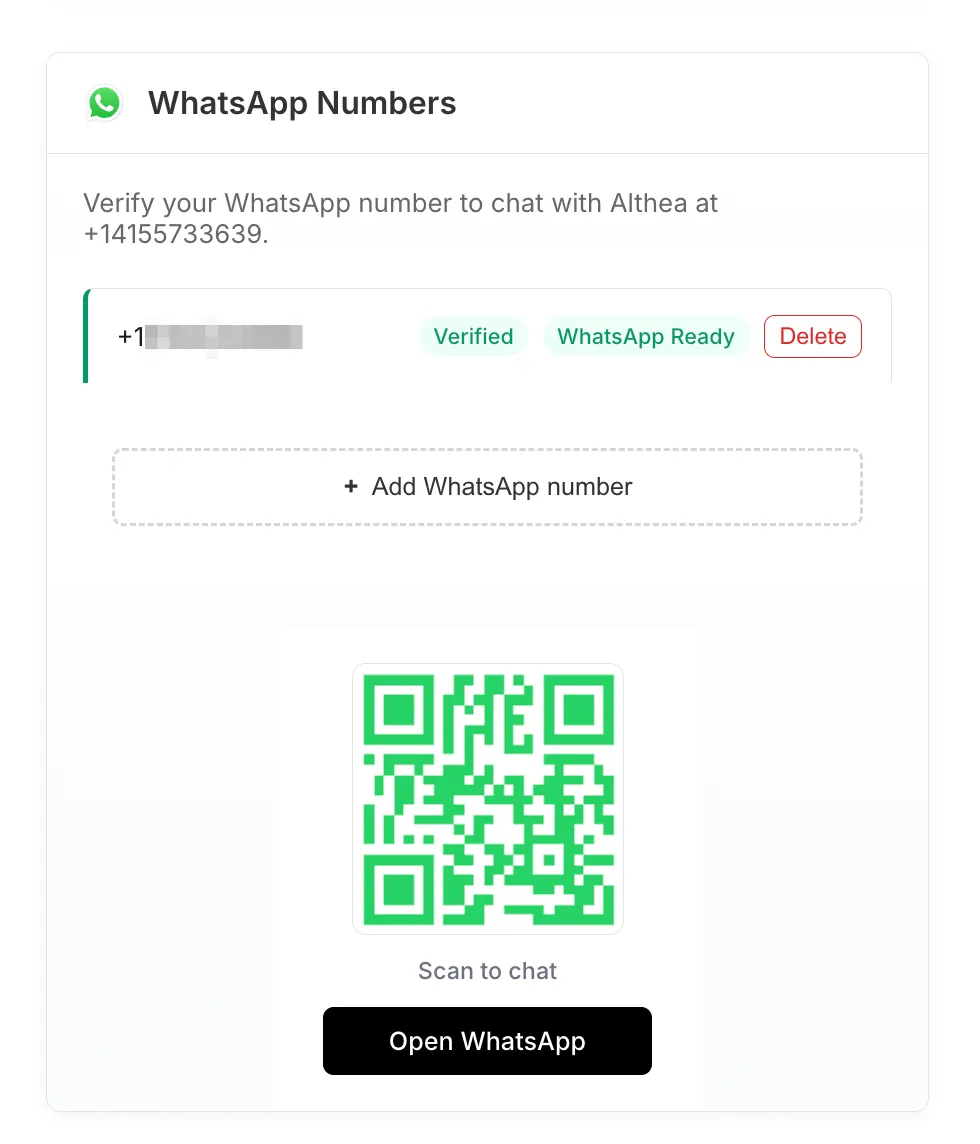
WhatsApp is the best mobile channel for quick back-and-forth.
Once connected, you can message Althea from your phone. Long responses are split into readable chunks. Media attachments can move in both directions, depending on the workflow.
Interactive widgets do not render directly inside WhatsApp. Althea sends a text summary and a link back to the web app when a richer artifact is involved.
Email is the channel for longer-running work and proactive updates.
When Althea sends a research update, task result, or follow-up, you can reply directly. Your reply routes back to the agent as a normal message, in the same working context.
This is useful for:
- news briefings
- task completions
- research summaries
- meeting follow-ups
- slower threads where you don’t want to open the web app
If you connect Gmail, Althea can also work with email threads you forward to her for summarization or follow-up.
Save Althea as a Contact
Section titled “Save Althea as a Contact”After setup, a downloadable vCard becomes available in your contact settings. It includes Althea’s name, phone number, email, profile photo, and the Tiptree logo.
Save it to your phone so Althea shows up like a normal contact. That small piece matters. You should not need to remember a number, search your inbox, or keep a browser tab pinned just to ask a question.
Shared Memory
Section titled “Shared Memory”All contact methods write into the same agent memory.
If Althea sends you a paper summary by email and you reply with a correction, that correction is available later in the web app. If you ask a follow-up on WhatsApp, Althea can use the same accumulated context.
The Dossier and your longer-running context elements are not siloed by channel.
In Practice
Section titled “In Practice”You get an email briefing on your commute. One item points to a preprint that matters for your current project.
You reply:
“Find the full paper and summarize the methods section.”
Later, when you open the web app, the research summary is waiting in chat with citations and a link to the source.
That same week, you message Althea on WhatsApp:
“What was the sample size in that methods summary?”
She can answer from the earlier thread. You don’t need to rebuild the context.
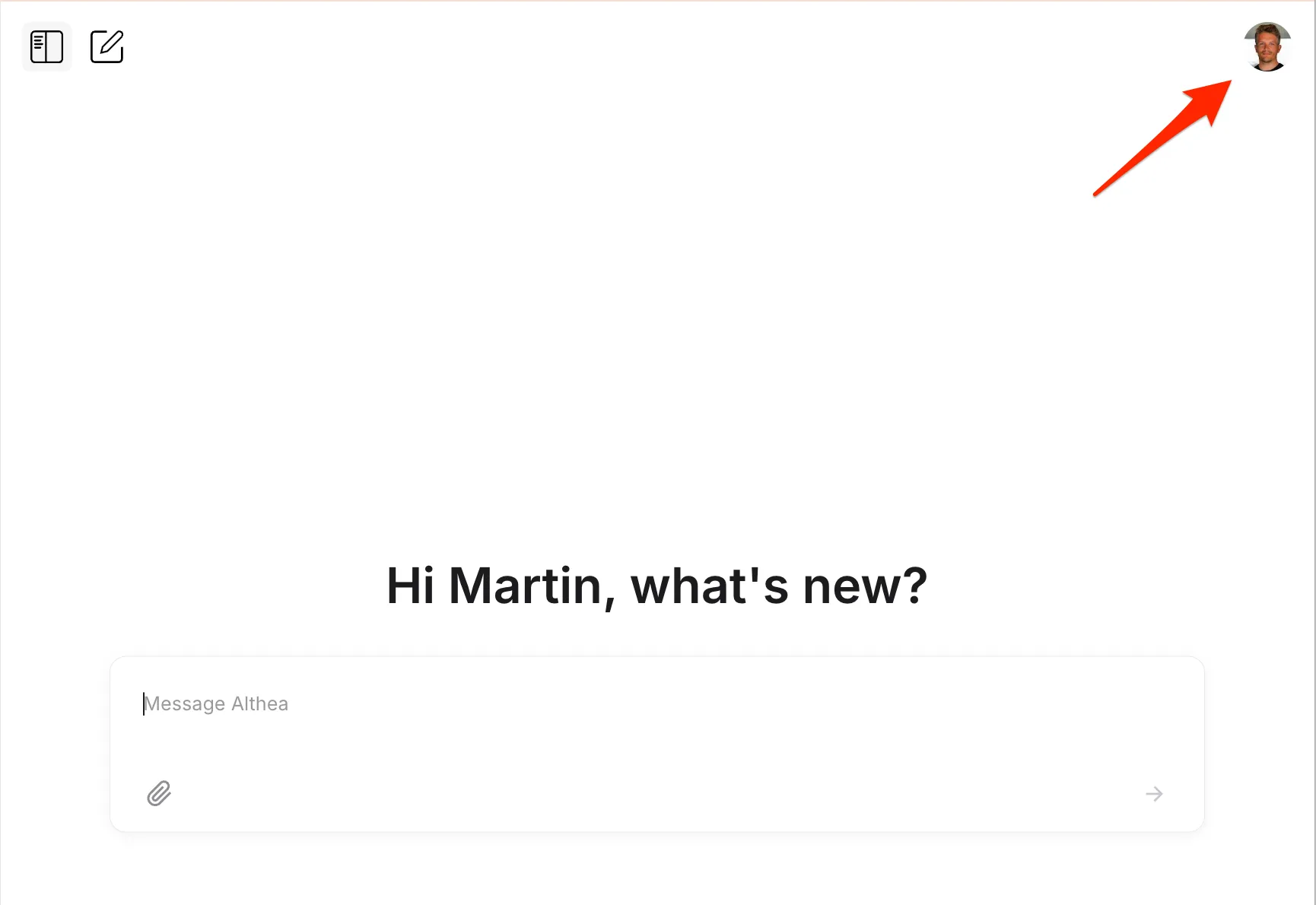
Click your profile icon in the top-right corner to open Settings.
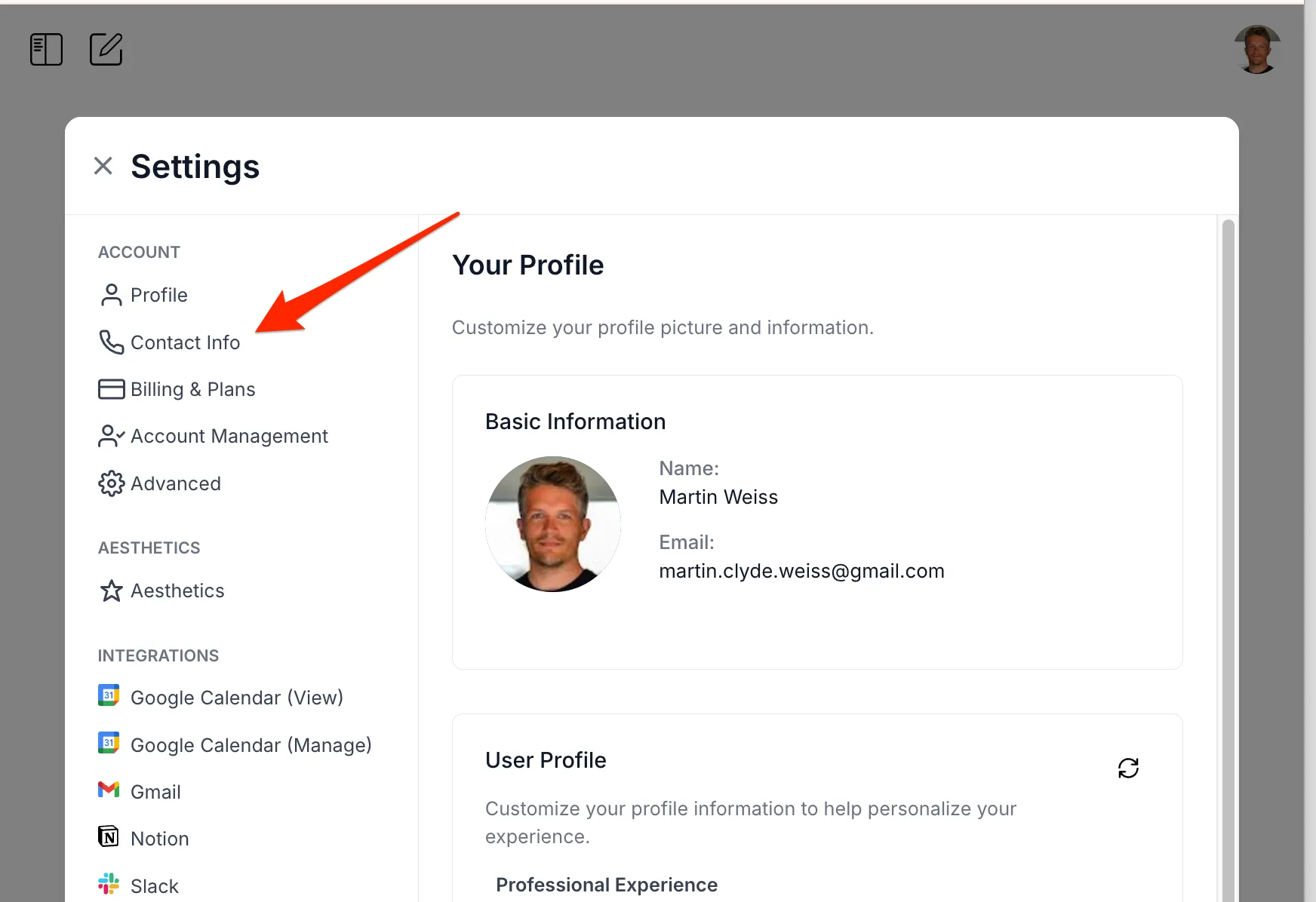
Navigate to Contact Info.
From there you can verify your email and connect WhatsApp.
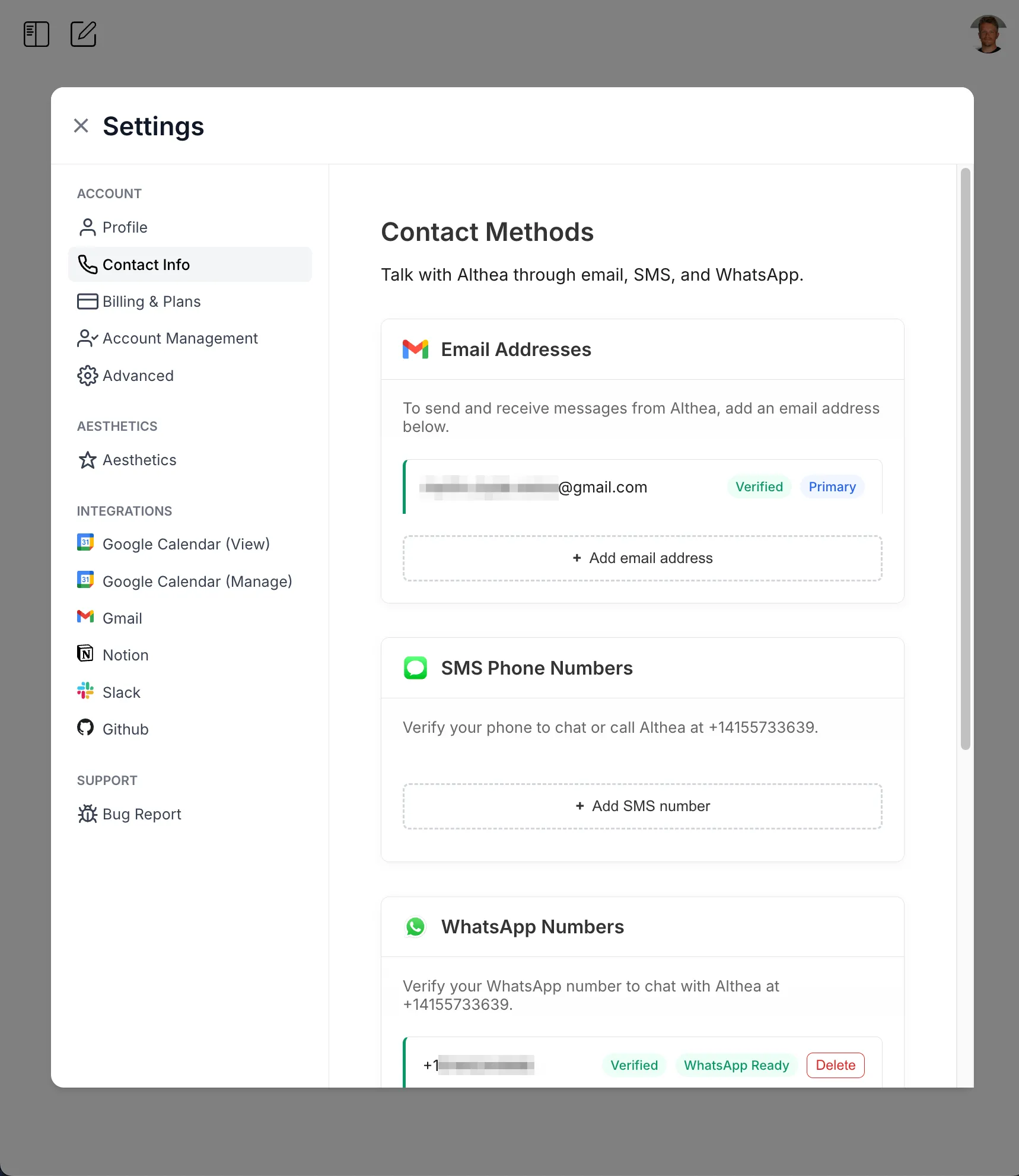
Connect Gmail under Integrations if you want Althea to work with email threads. Download the vCard or scan the QR code to save Althea as a contact.