

Web Widgets
Widgets are interactive HTML documents that Althea builds and renders directly in the chat. You describe what you want, and the code agent writes a self-contained HTML file with embedded CSS and JavaScript. The widget renders inline at a compact 320px height. Click “Open” to expand it to the full browser tab. The same HTML adapts to both sizes.
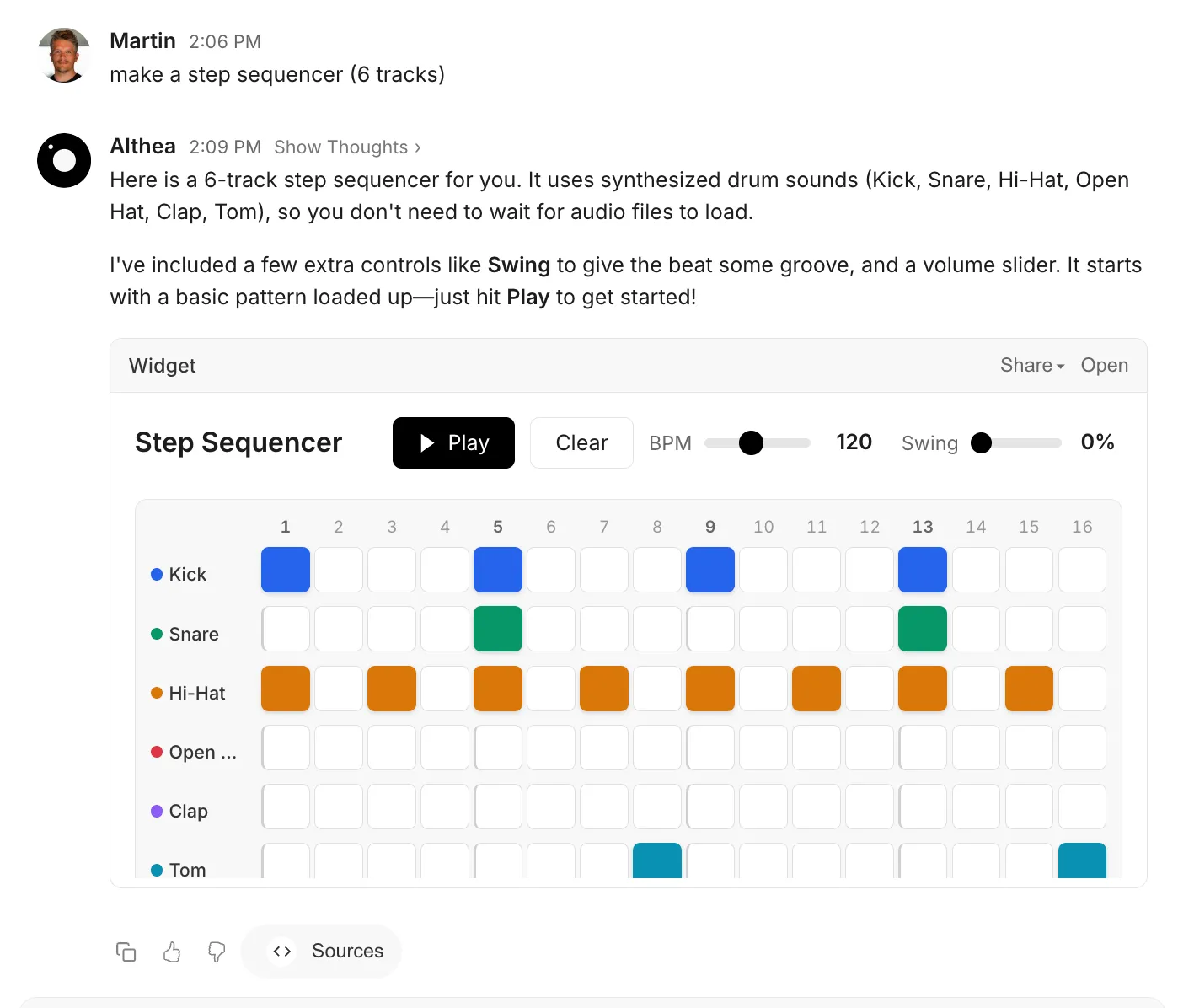
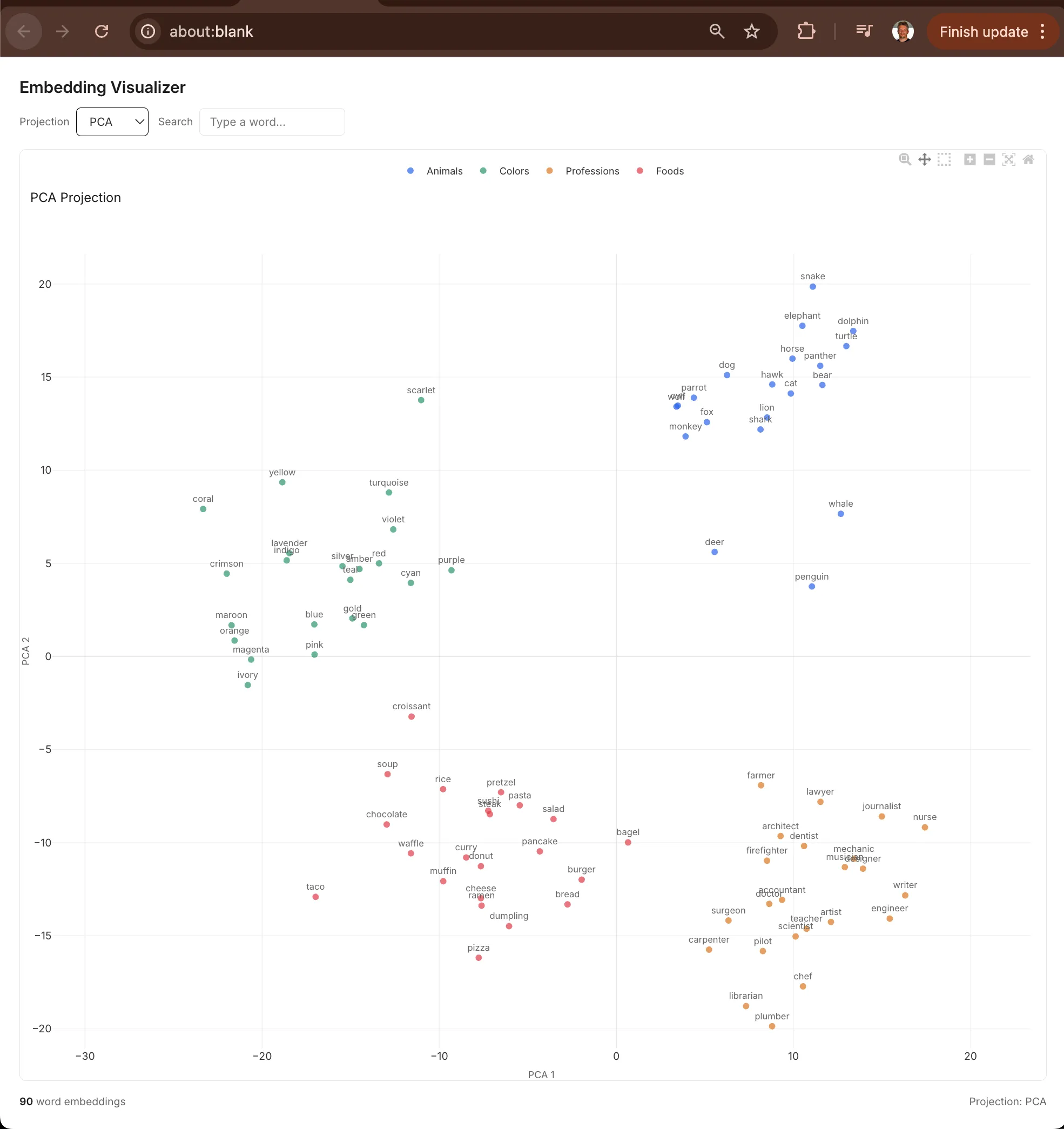
The code agent can pull in external libraries from approved CDNs: Plotly for scientific charts, D3.js for custom visualizations, Chart.js for simple graphs, or vanilla JavaScript for anything else. It can also fetch data from (e.g.,) HuggingFace APIs at runtime.
Sharing
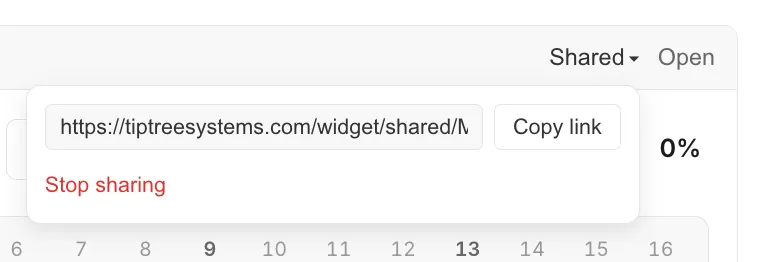
Section titled “Sharing”Every widget has a “Share” button. Click it to generate a public link. Anyone with the link can view and interact with the widget without logging in, and you can toggle sharing off to revoke access.
Examples
Section titled “Examples”Widgets handle are great for any application that benefits from interactivity. A few examples:
HuggingFace Model Explorer
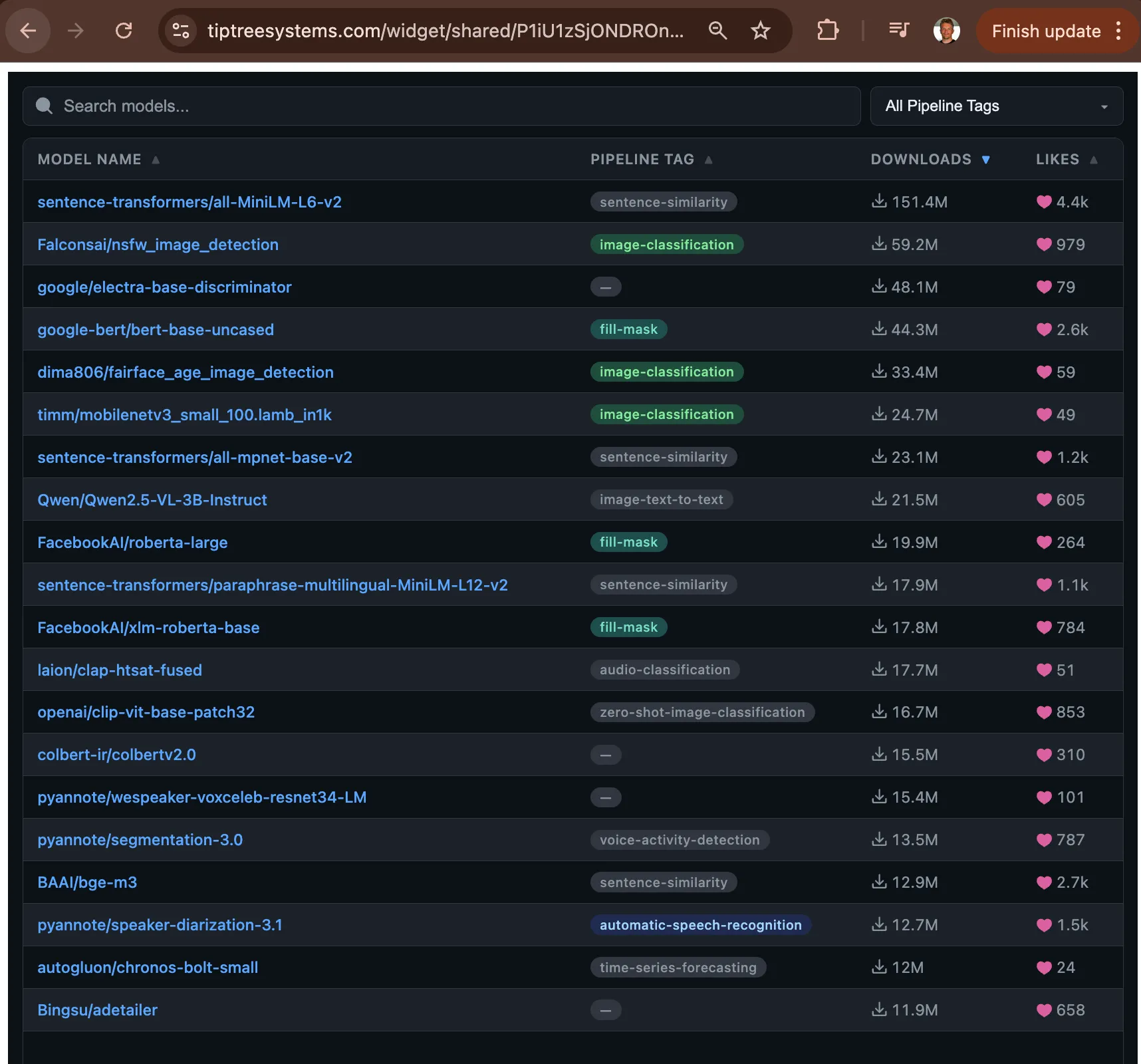
Section titled “HuggingFace Model Explorer”An interactive table that queries the HuggingFace API. Filter models by task (text-generation, image-classification, etc.), sort by downloads or likes, and click through to model cards. The widget fetches live data on each search.
Confusion Matrix Visualizer
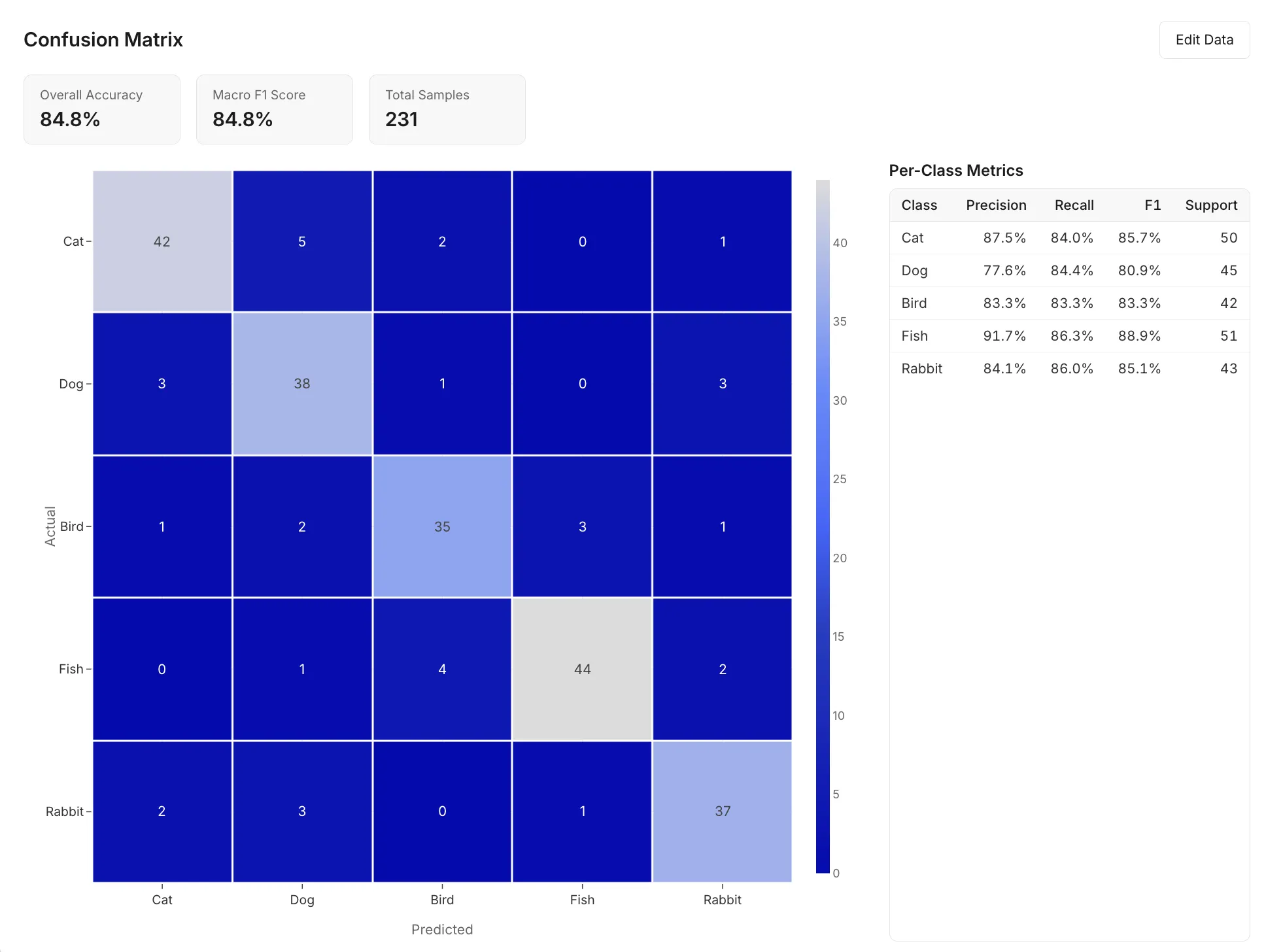
Section titled “Confusion Matrix Visualizer”Paste classification results or define class labels and counts. The widget renders an interactive heatmap with per-class precision, recall, and F1 scores. Hover over cells for exact values. Plotly handles the rendering.
Embedding Space Viewer
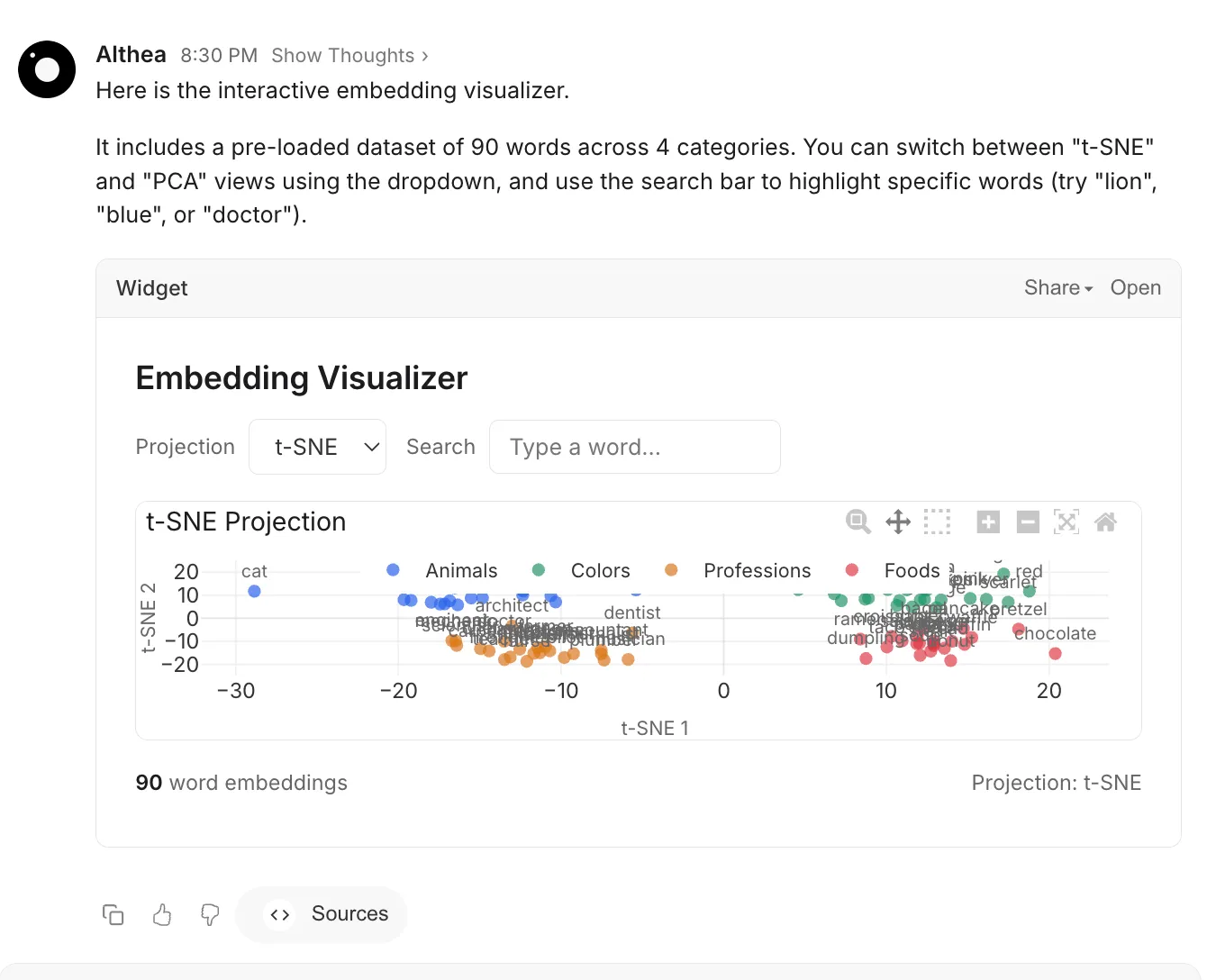
Section titled “Embedding Space Viewer”A 2D scatter plot of embedding vectors, reduced via t-SNE or PCA. Color-coded by cluster or label. Hover for metadata. Zoom and pan to explore neighborhoods. Useful for inspecting the output of any embedding model.
Game of Life
Section titled “Game of Life”Conway’s cellular automaton. Click cells to toggle them, press play, adjust speed. Vanilla JavaScript on a canvas element. No libraries needed.
When to Ask for a Widget
Section titled “When to Ask for a Widget”The rule is straightforward: if you would interact with the output in your browser (click, filter, hover, play), ask for a widget. If you would save or deploy it (a webpage, a template, a document), ask for the code directly.
Good widget requests:
- “Visualize this dataset
as an interactive scatter plot” - “Build me a calculator for sample size estimation”
- “Make a dashboard that compares these three models”
- “Create a game of life simulation”
Not widgets:
- “Summarize this paper” (text is fine)
- “Make me a personal homepage” (give the code to deploy)
- “List the top 10 Python libraries for NLP” (markdown table)
What Widgets Support
Section titled “What Widgets Support”Widgets run in a sandboxed iframe with a strict content security policy. Within that sandbox:
- Full ES6+ JavaScript, CSS, and HTML
- External libraries via CDN (Plotly, D3, Chart.js, Three.js, etc.)
- Live data from HuggingFace APIs
- Canvas and SVG rendering
- File input processing (CSV upload, image analysis)
- Keyboard interaction and accessibility
Widgets cannot access your session, cookies, or local storage. They run in complete isolation from the rest of the application.